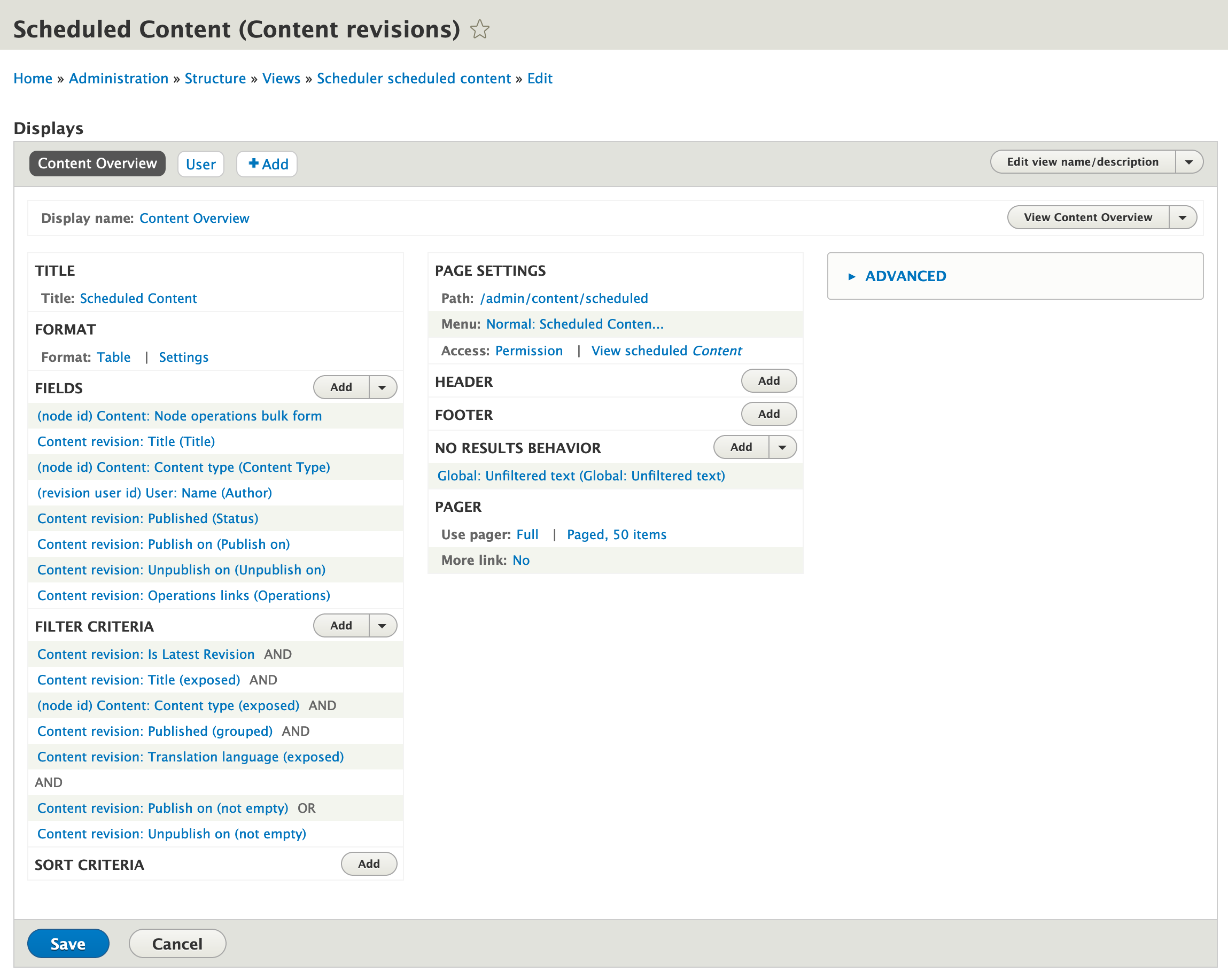
One of the great things about Drupal - especially recent versions, like Drupal 8 and 9 - is that so much of the administration interface is built using Views - which means it's easy to customize it.
I prefer to see Scheduled Content in the order in which it will be published - but that's not how it works out of the box.
The Scheduled Content view (found at xxx) has no Sort Criteria, and no Default Sort Order in the format's Style Options. But it's extremely easy to change that.
To set the Scheduled Content page to list items in order of when they'll be published:
- Go to the Scheduled Content page.
- Click the contextual menu near the top of the view and choose Edit View.
- On the view's configuration page, in the Format section, click Settings.
- In the Default Sort column, click the radio button for the Publish on column. (You may have to scroll to the right to see it.)
- Click Apply.
- Click Save.
Now, Drupal lists upcoming content in order of when it's scheduled to be published - but you can still sort by any other column (like Title or Author) by clicking the column heading.
I love how easy it is to customize things like this in Drupal.