It's not always easy to post regularly to your website. For smaller organizations and individual bloggers, it's often easier to write several posts every few weeks, rather than one every few days.
Drupal has a Scheduler module that makes it easy to write several new posts and schedule them to be published later.
To use Scheduler in Drupal 8:
- Install the module and enable it.
- Configure the module at Configuration > Content Authoring > Scheduler - the URL should be something like https://www.example.com/admin/config/content/scheduler
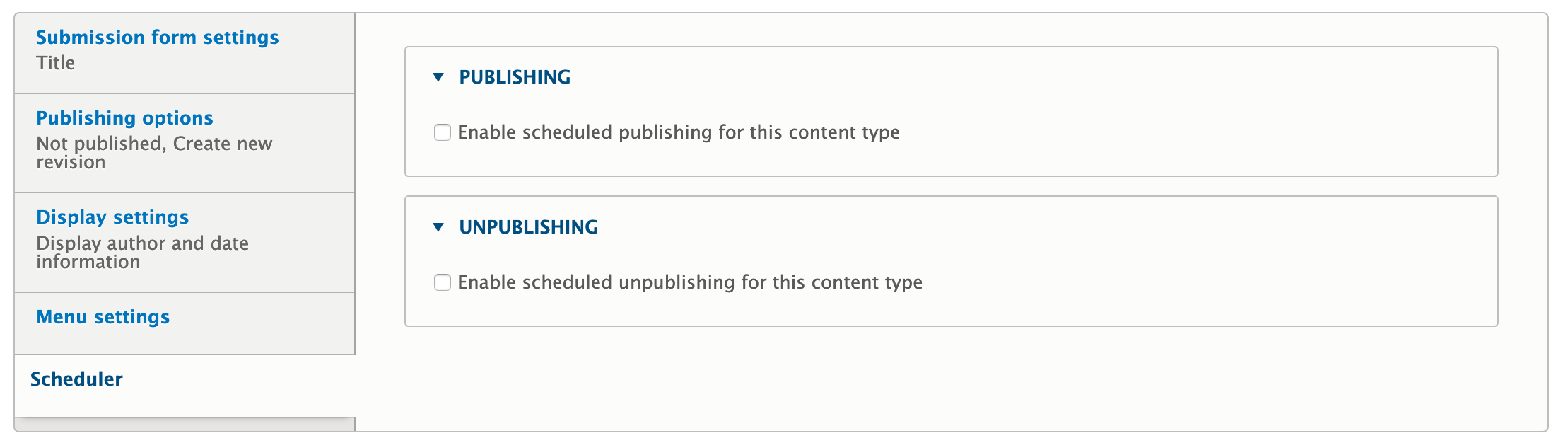
- Edit each content type you'd like to be able to schedule. Click the Scheduler tab, and select the options you want to use:
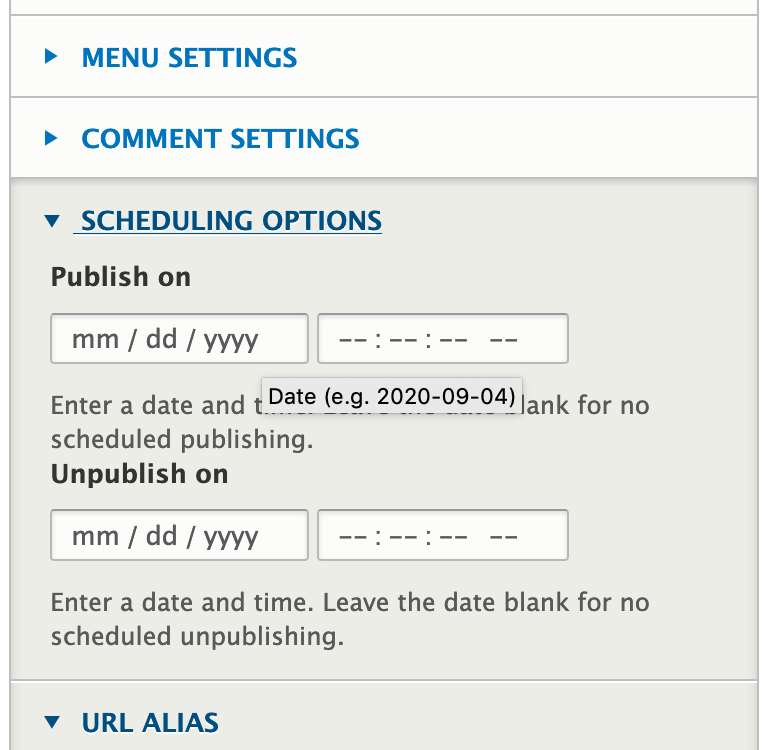
- When creating a new entry in Drupal, use the Scheduling Options tab to schedule publishing (or unpublishing) of your entry:
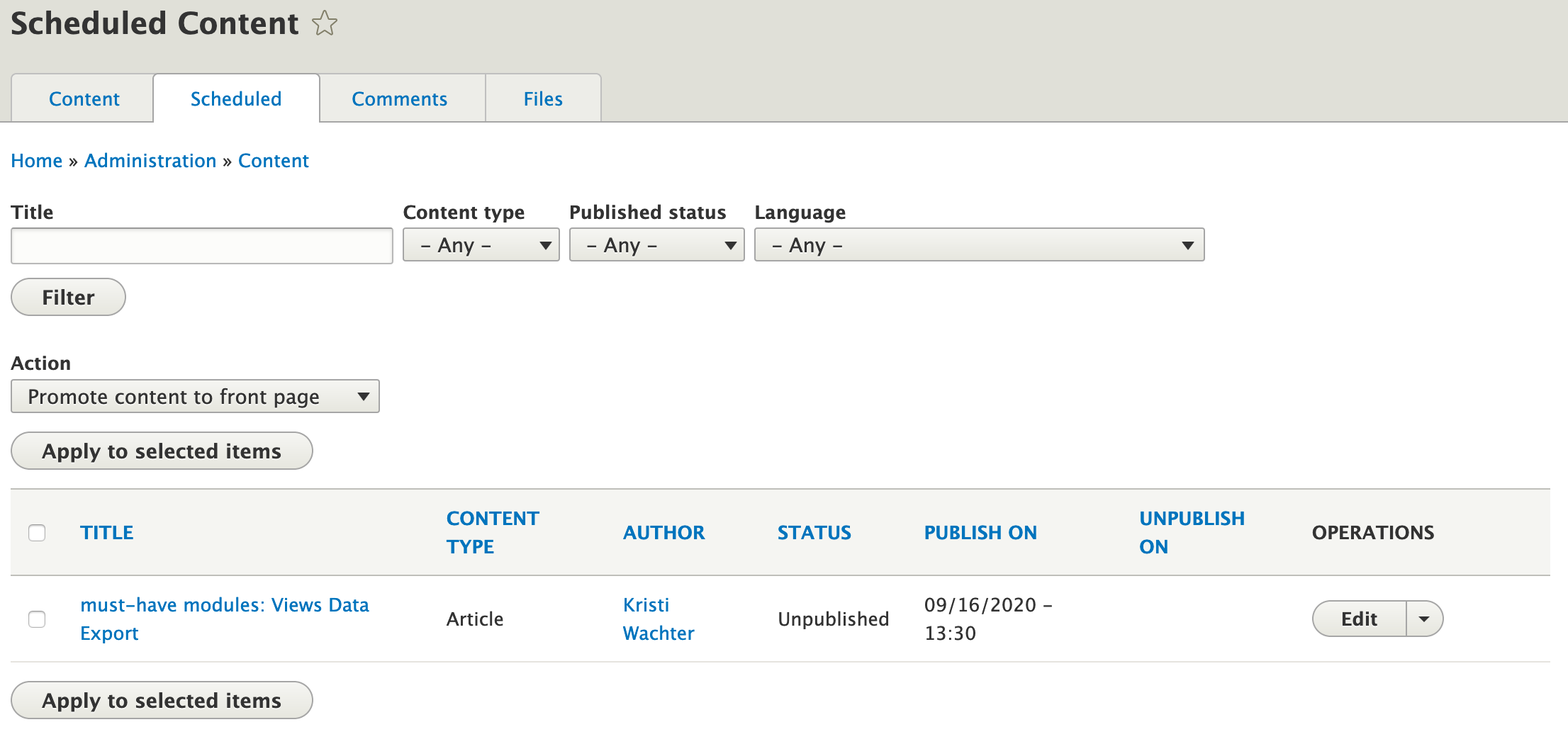
- In addition, you'll now see a Scheduled tab on your Content overview page:
It's a great module - straightforward and easy to use.